How to Set Up a Home Office That You Actually Enjoy
Build a comfortable, productive home office without overspending. This practical guide shows what to buy first, what to skip, and how to create a good setup for roughly $250, $500, or $1,000.
Quick answer
You do not need an expensive designer desk or a wall full of gadgets to build a good home office. For most people, the smartest order is chair and posture first, monitor height second, lighting third, and accessories last.
A basic setup can cost about $250 if you already own a laptop. Around $500 is the sweet spot for most home workers because it can cover a supportive chair, a simple desk, an external monitor, a keyboard and mouse, and a task light. Spend closer to $1,000 only if you work from home full time or need specialist equipment.
Best for most people: Put roughly half of the budget into the chair and desk, then buy only the tools that solve a real comfort or productivity problem.
What should you buy first?
Start with the items that affect your body for several hours every day:
- A supportive chair with adjustable height
- A desk or table at a comfortable working height
- A way to raise the top of your screen near eye level
- An external keyboard and mouse if you use a laptop
- A task light that does not create screen glare
Decor, smart lights and premium cable systems can wait. A modest workspace that fits your body is more useful than an attractive setup that causes neck or wrist pain.
Home office budgets at a glance
About $250: the essential setup
- Used or entry-level adjustable chair: $100–$150
- Laptop stand or monitor riser: $20–$40
- Basic keyboard and mouse: $25–$50
- Desk lamp: $20–$35
- Cable clips or power strip: $15–$25
This budget works best when you already own a usable desk or can repurpose a sturdy table. Buying a second-hand office chair often delivers better value than buying the cheapest new chair.
About $500: best for most people
- Adjustable chair: $180–$250
- Simple desk: $80–$150
- 24- or 27-inch monitor: $100–$180
- Keyboard and mouse: $35–$70
- Task light and cable management: $30–$50
Prices vary by country and retailer, but the proportions matter more than the exact figures. Do not sacrifice the chair simply to buy a larger monitor or more decorative accessories.
About $1,000: full-time comfort
A larger budget can add a better ergonomic chair, a height-adjustable desk, a sharper monitor, a docking station and higher-quality peripherals. The upgrade is worthwhile when the space is used five days a week. It is unnecessary for occasional evening work.
How to position your desk and screen
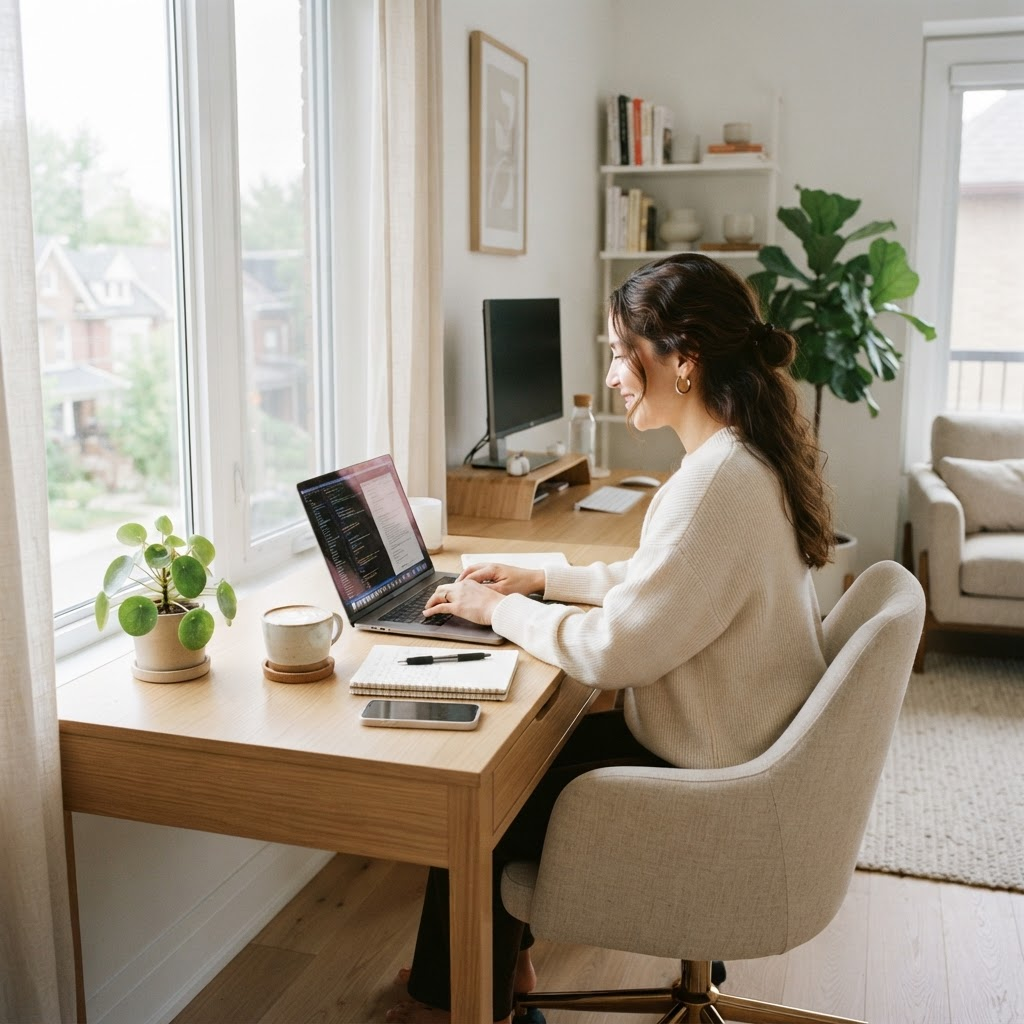
Place the monitor directly in front of you rather than off to one side. The top third of the screen should be around eye level, and the screen should sit roughly an arm's length away. If you use a laptop for long sessions, raising it and adding an external keyboard and mouse is usually more comfortable than looking downward all day.
Position the desk so windows are beside the screen when possible. A window directly behind the monitor can create strong contrast, while a window behind you may create reflections. A blind or curtain is a cheaper solution than replacing the monitor.
Your elbows should stay close to your body, with forearms approximately parallel to the floor. Feet should rest flat on the floor or on a simple footrest.
Chair: where the money matters most
A good chair does not have to be luxurious, but it should allow you to adjust the seat height and sit back with support. Check that the seat is deep enough without pressing behind the knees.
Before buying online, compare the chair's measurements with your height and desk. If possible, try it in person. Return policies matter because comfort is personal.
Used commercial office furniture can be excellent value. Businesses often sell durable chairs that originally cost far more than new budget models. Check the gas lift, armrests, wheels and fabric before buying.
Monitor, keyboard and mouse
A separate monitor makes multitasking easier, but bigger is not always better. A 24-inch 1080p display is often enough for documents and email. A 27-inch model gives more room, though sharper resolution may be preferable at that size.
Choose a keyboard and mouse that keep your wrists neutral. You do not need an expensive mechanical keyboard unless you enjoy it or have a specific typing preference. Wireless accessories reduce cable clutter, while wired models are cheaper and never need charging.
Lighting that improves video calls
Use daylight when it is comfortable, then add a task lamp for darker hours. For video calls, place a soft light in front of you or slightly to one side. A bright window behind you will make your face look dark.
Avoid buying a ring light immediately. A small lamp bounced off a pale wall can produce softer light for less money. If you regularly record video, a dedicated light may then be worth the upgrade.
Internet and sound
Before buying new networking equipment, test the connection at the desk. Moving the router into a more open position may improve performance for free. If Wi-Fi remains unreliable, consider an Ethernet cable, mesh node or powerline adapter based on the layout of the home.
Headphones are useful in shared spaces, but premium noise cancellation is not essential for everyone. A basic headset with a clear microphone is often enough for meetings.
What we would skip
- Decorative gadgets bought before the basics
- Oversized desks that dominate a small room
- Cheap chairs with no adjustment
- Expensive docking stations when a simple USB-C hub is enough
- Multiple monitors before you know you need them
- Subscription-based productivity hardware with features you will not use
Small-space home office ideas
A home office can fit into a bedroom corner, hallway nook or dining area. Use a narrow desk, a wall shelf for storage and a monitor arm to free surface space. A folding screen, curtain or movable shelf can create a visual boundary.
When work ends, close the laptop, turn off the lamp and clear the desk. That small routine helps separate work time from personal time, especially when the office shares another room.
Is a standing desk worth it?
A standing desk can make it easier to change position, but standing all day is not the goal. The benefit comes from alternating between sitting, standing and moving.
If the budget is tight, try a stable desktop riser or take short movement breaks before buying a full electric desk. A standing desk is most valuable when you will actually adjust it throughout the day.
Bottom line
For most people, a $500 home office budget provides the best balance. Buy a chair that fits, raise the screen, add an external keyboard and use simple lighting. Upgrade the desk, monitor and accessories only after you know which limitations are affecting your work.
The best home office is not the most expensive one. It is the one that lets you finish the day without unnecessary discomfort—and without paying for equipment you rarely use.